codesign IPA and the code object is not signed at all problem
Posted by Chris Danielson in Apple, iPhone Development on August 29th, 2012
You know this journey starts with, “…I was so excited to get Mountain Lion and download the new Xcode.” Â I’m now absolutely shocked as for the first time, I’m faced with a strange and unique predicament. Â I cannot archive one of my commonly archived for Ad Hoc developer release iOS applications. Â What happened? Â Where did it start breaking? Â I’ll share the facts here and maybe, just maybe, this might help out some poor soul out there.
Let’s start by saying this, how do you even know you’re having this issue? Â The first sign of trouble is you build an archive file in Xcode for an “Ad Hoc” release. Â The last step finishes up with a code signing or “codesign” process and a final saving of the IPA file. Â Everything seems to work properly. Â You then do one of the following, install via iTunes or upload the IPA to Test Flight. Â All seems fine and grand. Â The trouble has just begun. Â Your users will begin reporting to you that they cannot download or worse they are seeing the “Failed to install” error. Â You’re already in this hole now… what is going on?
My first gut reaction was to start building another archive and then another and each one had the same issue. Â I finally realized that the Xcode Organizer tool was going to help me out. Â I did the install using iTunes on my iPad 3 and monitored the iPad 3 console in Organizer.
Aug 28 21:07:55 unknown installd[7066] <Error>: unrecognized status -67068 from codesigning library
Aug 28 21:07:55 unknown installd[7066] <Error>: 00403000 verify_signer_identity: Could not copy validate signature: -402620415
Aug 28 21:07:55 unknown installd[7066] <Error>: 00403000 preflight_application_install: Could not verify executable at /var/tmp/install_staging.6ua8Zg/foo_extracted/Payload/MySpecialApp.app
Aug 28 21:07:55 unknown com.apple.itunesstored[7074] <Notice>: MobileInstallationInstall: failed with -1
Aug 28 21:07:55 unknown installd[7066] <Error>: 00403000 install_application: Could not preflight application install
Aug 28 21:07:56 unknown installd[7066] <Error>: 00403000 handle_install: API failed
Aug 28 21:07:56 unknown installd[7066] <Error>: 00403000 send_message: failed to send mach message of 71 bytes: 10000003
Aug 28 21:07:56 unknown installd[7066] <Error>: 00403000 send_error: Could not send error response to client
I can’t tell you how upsetting it was to see this error and to know that Xcode when archiving did not even make a peep about a code signing error. Â I quickly opened up my friendly terminal and located my IPA file that I had just attempted to install. Â I ran the famous command “codesign” and here is what it looks like.
Chris-Danielsons-MacBook-Pro-2:Desktop myUserAcct$ codesign -dvvv MySpecialApp.app
MySpecialApp.app: code object is not signed at all
So it’s clear to me that Apple has a fairly major issue on their hands that has seemingly let the user wander mindlessly into a trap thinking they were on a great journey of sorts.
So here is the question, how does one correct this issue? Â Continuing to fail miserably… here is what I have done thus far to attempt to correct the issue.
- I have verified that all my certificates are in order. Â Deleted my mobile provisioning profiles manually, re-added them from the Apple developer portal.
- Open Disk Utility and do a full verify and repair disk permissions.
- Do a full shutdown and startup of my computer.
None of these processes have fixed this issue.
I finally figured out the solution by trial and error. Â In my case I had a folder name that matched the “Product Name” variable under build settings. Â This also matched the entire project name! Â So I simply changed one field. Â I changed the “Build Settings” -> “Product Name” . Â The value of MySpecialApp was changed to My-SpecialApp. Â That was simply it! Â I then logged back into the Apple developer portal and created a new App ID and mobile provisioning profiles for development and distribution and the rest is history. Â My releases now work when deployed via the Ad Hoc distribution.
A final note on this. Â This is definitely a bug that Apple should either alert the user that they have done something wrong and enable some sort of automated corrective action. Â After archiving I still receive:
codesign -dvvv My-SpecialApp.ipa
My-SpecialApp.ipa: code object is not signed at all
So what gives? Something is very wrong here, but this solution works for now.
Linux Firmware Keyspan USB to Serial
Posted by Chris Danielson in Linux, USB on April 10th, 2012
Just wanted to share the difficult to find firmware that works between Linux and the awesome Keyspan USB to Serial devices. Â I love these old Keyspan devices! Â Anyways, here is the ‘dmesg’ signature for your perusal.
New USB device found, idVendor=06cd, idProduct=012a
New USB device strings: Mfr=1, Product=2, SerialNumber=0
Product: Keyspan USA-49WLC
Manufacturer: Keyspan, a division of InnoSys Inc.
On Debian 6, “squeeze”, and on Ubuntu images I simply copy the “keyspan.zip” file to the /lib/firmware/ folder, uncompress it and plug back in the device. Â Everything works like a champ from that point on.
Firmware included for:
keyspan/mpr.fw
keyspan/usa18x.fw
keyspan/usa19.fw
keyspan/usa19qi.fw
keyspan/usa19qw.fw
keyspan/usa19w.fw
keyspan/usa28.fw
keyspan/usa28xa.fw
keyspan/usa28xb.fw
keyspan/usa28x.fw
keyspan/usa49w.fw
keyspan/usa49wlc.fw
Happy coding!
ePub Submission Got You Down?
Posted by Chris Danielson in Apple, ePub, iPhone Development on September 13th, 2011
Today I released my new interactive digital children’s book, Riley and the Magical Laundry Basket iPhone/iPad application.  I wanted to take the story to the next level by releasing an ePub version into Apple’s iBookstore.  The story is about Riley as she is transported away to an imaginary world via her magical laundry basket.  In this world she is trying to get to the cupcake palace. iTunes Link: http://itunes.apple.com/us/app/riley-magical-laundry-basket/id456764124?mt=8
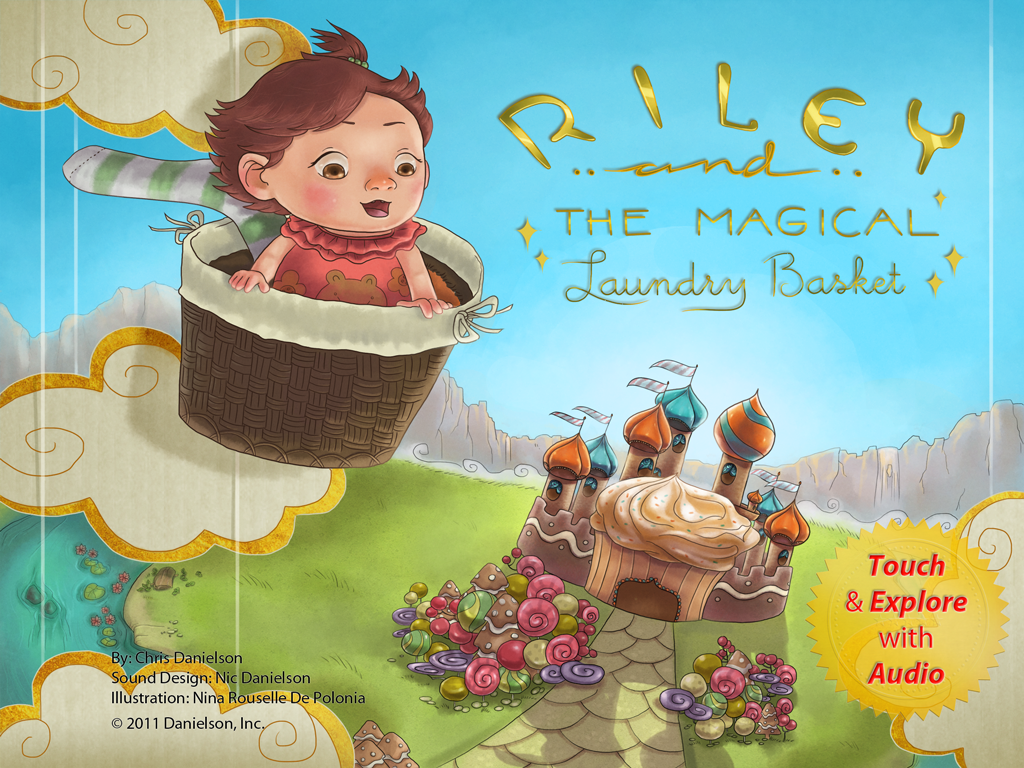
Riley and the Magical Laundry Basket
I wanted to release Riley and the Magical Laundry Basket as an ePub book. Â I was absolutely ecstatic as my final “.epub” file worked flawlessly and looked beautifully in my initial tests on iPad and iPhone. Â Today, I decided I was going to move ahead and upload the file using iTunes Producer. Â I became frantic as I discovered a host of errors produced by iTunes Producer and when I searched online, I didn’t find much help! Â I’m going to take the esoteric “errors” you see and translate them for any/all people. Â If you need help just add in a comment, but these were my basic errors and how I solved them today.
My first error encountered. Â This error made me go cross eyed trying to figure out what exactly the trouble was.
“length of first filename in archive must be 8, but was 9”
Chris’ Translation & Solution: Â make sure that the “mimetype” file is the first one compressed into your epub archive file. Â Don’t worry I’ll show you how to fix it near the end of this post.
My second error:
“extra field length for first filename must be 0, but was 28” at Book (MZItmspBookPackage)
Chris’ Translation & Solution: the zip command or tool you are using is adding additional file attributes into the archive or compressed file.
Using the command line (terminal) on my Macbook I was able to fix both these issues. Â I changed directory to the root of my epub book and ran the following command.
zip -X -r rmlb.epub mimetype *
The -X listed removes the extra file attributes (from issue #2) shown. Â Explicitly defining that the mimetype file is the first file to compress fixes issue #1. Â A little further explanation of the command shown… Â The -r means “recursively”, basically add everything within the current directory including other sub-directories. Â The rmlb.epub is the final name of the .epub file. Â The * is a wildcard character telling the zip command to put everything into the archive.
My directory structure looked as follows.

Screenshot of ePub directory structure.
I saw many references to using the OEBPS folder, but in this case it is not necessary. Â You just have to make sure that you add the “mimetype” file first into the archive.
After I did the following command, iTunes Producer accepted my ePub book and now I’m waiting for Apple’s approval.
Happy coding and I hope this helps you if you had an issue!